Aerion Email Client: A Fresh Desktop Experience – Q&A
Desktop email clients have been around for decades, but many users have shifted to web apps. Aerion is a new open-source, lightweight client that aims to change that with a clean interface and robust security. Below, we answer common questions about this promising alternative to Thunderbird and other older solutions.
What is Aerion and how does it differ from other desktop email clients?
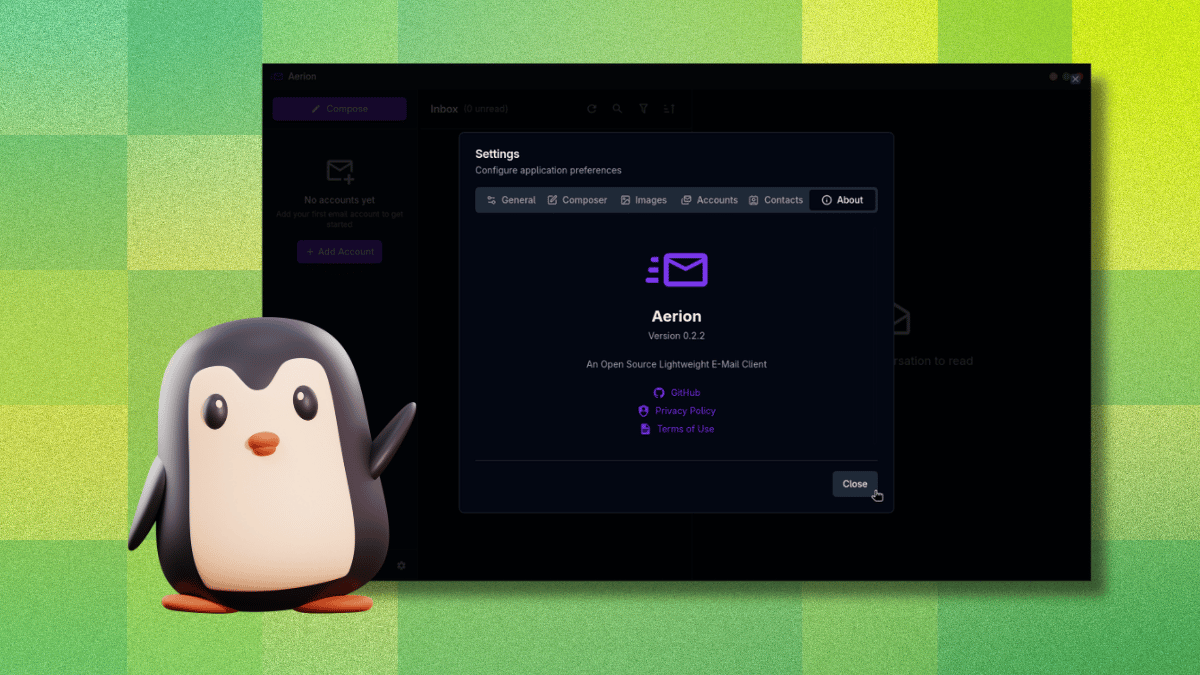
Aerion is an open-source desktop email client built with Wails and Svelte, designed to be resource-efficient and visually clean. Unlike traditional clients like Thunderbird that can become bloated over time, Aerion focuses on minimalism and speed. It's sponsored by 3DF and draws inspiration from GNOME’s Geary. The app uses a modern tech stack, avoiding heavy Electron frameworks, which means less memory usage. It also holds a CASA Tier 2 certification from TAC Security, a Google-authorized assessor under the App Defense Alliance. This third-party verification ensures its codebase meets OWASP ASVS standards—a rare security credential for a small indie project. For users tired of sluggish webmail or complex setups, Aerion offers a streamlined, secure home for managing multiple accounts.
Why would someone switch from webmail to a desktop email client like Aerion?
Webmail is convenient, but it requires constant browser tabs and network connections. A desktop client like Aerion consolidates all your email accounts—Gmail, Outlook, Proton Mail, and more—into one application. You get offline access, faster search, and advanced features like conversation threading and keyboard shortcuts without relying on a browser. For heavy email users, this reduces distraction and improves productivity. Aerion also syncs contacts via CardDAV, Google, or Microsoft, so you never lose important data. While pre-release, its lightweight design and security certifications make it a compelling choice for those who value performance and privacy. Giving it a shot might just show you how much simpler email management can be.
What security measures does Aerion have in place?
Aerion takes security seriously, especially since it handles email credentials and account access. The app earned a CASA Tier 2 certification from TAC Security, a Google authorized assessor within the App Defense Alliance. This means Aerion's entire codebase was scanned and verified against the OWASP ASVS standards by an independent third party. For an open-source project of this size, that’s a significant reassurance. Additionally, authentication for services like Gmail uses OAuth, so your password never reaches Aerion’s servers. The app also encrypts locally stored data. While still pre-release, these measures help protect users from common vulnerabilities. Always update to the latest version to benefit from ongoing security improvements.
Which email providers does Aerion support?
Aerion works with a wide range of providers. Officially supported and tested: Gmail, Microsoft 365/Outlook, Proton Mail (via paid Proton Bridge), iCloud Mail, GMX Mail, and generic IMAP/SMTP setups. The following are listed but marked as untested at the time of writing: Yahoo, Fastmail, Zoho Mail, AOL Mail, and Mail.com. If you use one of these, you may encounter issues but can try configuring via IMAP/SMTP. For Proton Mail users, remember you need the Bridge subscription to sync. Aerion's flexibility makes it suitable for both personal and business accounts, though pre-release stability may vary. Always check for updates if your provider isn't fully supported.

How does setting up an account in Aerion work, and are there any pitfalls?
Setting up a Gmail account in Aerion is straightforward: it uses OAuth, redirecting you to your browser for Google’s permission flow. After granting access, you’re automatically returned to Aerion with the account ready. However, there is a significant pitfall: if you accidentally click outside the “Add Email Account” window while it’s open, the entire setup closes without warning—no confirmation or save. All progress is lost, and you must start over. This can be frustrating, especially if you’ve entered multiple accounts. The developers may fix this in future releases, but for now, be careful to keep focus on the setup dialog until completion. Overall, the process is smooth except for this one oversight.
What features does Aerion offer for daily email management?
Aerion covers the essentials and more. It supports multiple accounts, conversation threading, a WYSIWYG composer powered by TipTap, and contact sync via CardDAV, Google, and Microsoft. You can choose from multiple color themes and use keyboard navigation with vim-style shortcuts for efficient workflow. The app is lightweight and responsive, ideal for handling a high volume of emails. While it lacks advanced filters or plugins, its core functionality is solid. Being pre-release, occasional bugs may appear, but the clean interface and fast performance make it a promising alternative. For a modern, secure, and minimal email client, Aerion delivers on its promise.
Related Articles
- Exploring PostgreSQL Benchmarking and SQLite API Error Handling: A Deep Dive Q&A
- 10 Essential Features of the New Python Environments Extension for VS Code
- Mastering GitHub Copilot CLI: Interactive vs Non-Interactive Modes
- How to Adopt the Block Protocol in Your Web Editor: A Developer's Step-by-Step Guide
- Mastering Corporate Diplomacy: A Step-by-Step Guide to Apple CEO's China Trip Invitation and Leadership Transition
- Cargo’s New Build Directory Layout: Testing and Migration Guide
- Uncovering Microsoft’s Hidden Free Toolkit: Which Apps You Need to Download
- Bridging the Gap: How AI Can Enhance Digital Accessibility