5 Incredible Capabilities of a DIY Raspberry Pi Travel Router That Off-the-Shelf Models Can't Match
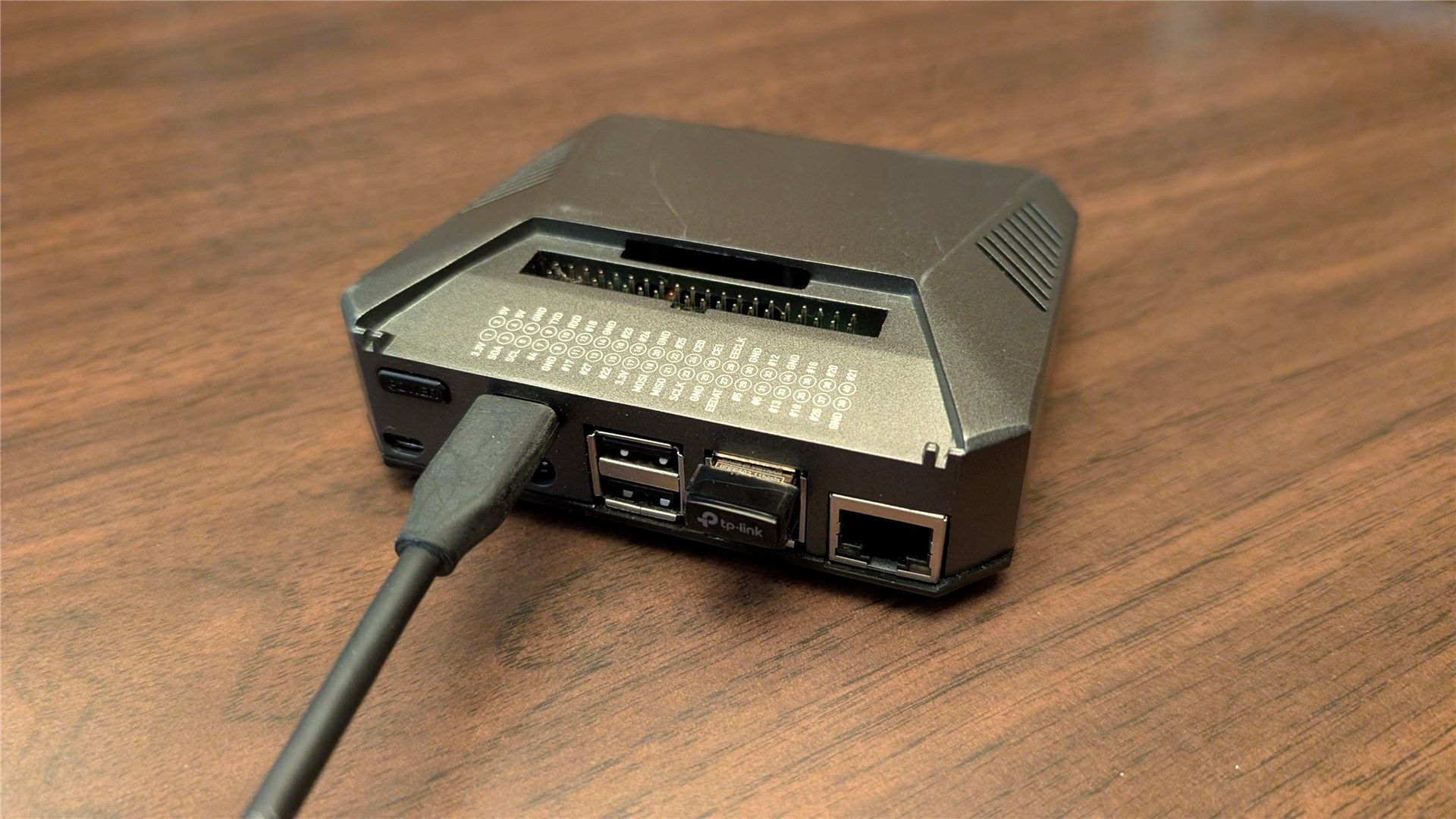
When it comes to travel routers, most commercial options are limited to a handful of standard functions: sharing a Wi-Fi connection, routing traffic through a VPN, or serving files from a USB drive. But what if your travel router could do so much more? By building your own from a Raspberry Pi, you unlock a world of customization and advanced features that no off-the-shelf device can touch. Here are five capabilities that set my DIY Raspberry Pi travel router apart—each one adding a layer of functionality that transforms it from a simple network device into a truly versatile travel companion.
- Ad-Blocking and Network-Wide Privacy
- On-Demand Cloud Storage Without Subscription Fees
- Mobile Plex Media Server for Movies and Music
- Automated Torrent and File Download Manager
- Remote Access and IoT Hub for Smart Travel
1. Ad-Blocking and Network-Wide Privacy
Why it matters: Most travel routers let you share a connection, but they do nothing to filter the endless stream of ads that slow down your browsing and eat into limited data plans. My Raspberry Pi travel router runs Pi-hole, a DNS-based ad blocker that works across every device connected to the network. This means that when you're in a hotel room or café, your phone, laptop, and tablet all benefit from an ad-free experience. But it's not just about ads—Pi-hole also blocks trackers and malicious domains, adding a crucial layer of privacy. Off-the-shelf routers simply can't do this without complicated firmware mods. With my setup, I can also monitor real-time DNS queries to see exactly what each device is trying to contact, giving me full transparency over network activity.
2. On-Demand Cloud Storage Without Subscription Fees
Why it matters: Travel routers typically only share files via USB or SMB, but they lack the ability to act as a personal cloud that syncs across devices. My Raspberry Pi travel router runs Nextcloud, turning it into a full-fledged private cloud server. I can upload photos, documents, and backups from anywhere in the world, and the files are stored locally on the Pi's SD card or an attached SSD. There are no monthly fees, no limits on storage size, and no risk of a third party accessing my data. Best of all, the Pi sips power—often under 5 watts—so I can leave it on 24/7 even on a portable battery. With optional HTTPS and a dynamic DNS service, I can securely access my files from any device, even when my travel router is connected to a restricted hotel network.
3. Mobile Plex Media Server for Movies and Music
Why it matters: Commercial travel routers have no media server capabilities, so you're stuck streaming your own content via clunky USB drives. My Raspberry Pi travel router runs Plex Media Server, allowing me to stream my entire movie, TV show, and music library to any device on the network—or even over the internet. The Pi 4 or 5 can handle direct-play of 1080p video effortlessly, and with a little tweaking, it can transcode audio streams on the fly. In a hotel room with spotty Wi-Fi, I just connect my tablet to the Pi's own Wi-Fi network and stream directly from my library. No buffering, no ads, and no need for an internet connection. It turns any venue into a personal home theater system.

4. Automated Torrent and File Download Manager
Why it matters: Off-the-shelf travel routers have no built-in download managers, so if you want to grab a large file or a legal torrent (like a Linux ISO) while traveling, you'd have to keep your laptop on and running. My Raspberry Pi travel router runs Transmission with a web interface, allowing me to set downloads from my phone and let the Pi handle them 24/7. I can schedule downloads during off-peak hours to save bandwidth, and the files land directly on the attached storage. Better yet, I can combine this with the VPN that runs on the same Pi—so all torrent traffic is automatically routed through a secure tunnel without affecting other users on the network. It's like having a personal download farm that fits in your pocket.
5. Remote Access and IoT Hub for Smart Travel
Why it matters: Standard travel routers are isolated devices—you can't easily access them from outside your local network, and they don't interact with other smart gadgets. My Raspberry Pi travel router can be configured as a secure VPN server (using WireGuard or OpenVPN) that you can connect to from anywhere. This means I can remotely check on my home network, access files, or control IoT devices while I'm on the road. Additionally, I run Home Assistant on the same Pi, turning it into a portable smart home hub. When I'm in a hotel, I can control smart lights, temperature sensors, or even a travel robot vacuum—all through a dedicated dashboard. No commercial travel router can multitask like this without breaking a sweat. The Pi handles all these roles with ease, thanks to its low power consumption and flexible operating system.
In summary, building a travel router from a Raspberry Pi is not just a fun project—it's a way to gain capabilities that commercial products simply cannot provide. From ad-blocking to private cloud storage, media serving to automated downloads, and remote access to IoT control, the Pi transforms a simple network router into a multi-functional travel device. Give it a try—you might never go back to an off-the-shelf router again.
Related Articles
- Mastering Smartphone AI Cameras: Avoiding Over-Processing with a Cautionary Tale from Sony
- Building a Distributed Computer with Three ESP32 Boards: Leveraging the Overlooked ESP-NOW Feature
- Covert Tracking via Mailed Parcels: A Step-by-Step Guide
- Local Network Access for Laravel Projects Now Easier: New Configuration Method Eliminates 'php artisan serve' Hassle
- How NVIDIA Spectrum-X and MRC Are Redefining AI Networking at Scale
- Apple Silently Kills $599 Mac Mini, Entry Price Jumps to $799 Amid Chip Crunch
- How Spark’s New Risk Framework Secures the Sky Agent Network Using Proven Security Principles
- Why Wi-Fi 7 Won't Magically Fix Your Home Network: What You Need to Know